Your mobile device generates a unique ID called a ZID within each Zynga mobile game. For Pethouse, the instructions are provided below on how to locate the ZID in order to assist you identify the issue on smartphone or tablet.
Dream Pethouse
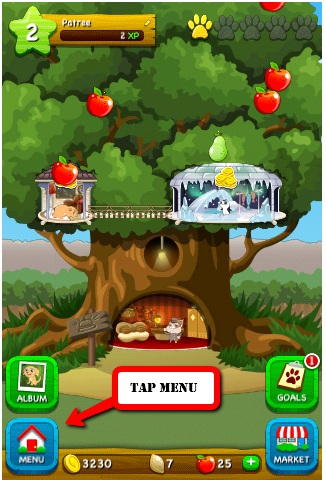
Step 1. Tap the "Menu" located on the bottom left of your Pethouse.
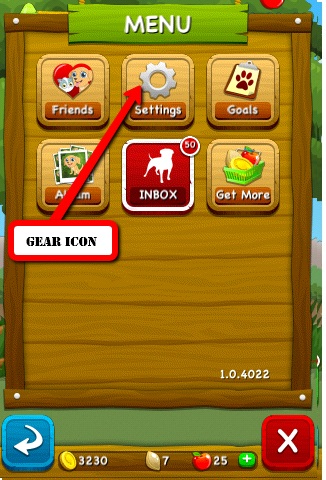
Step 2. Locate the "Gear Icon" and tap on "Settings"
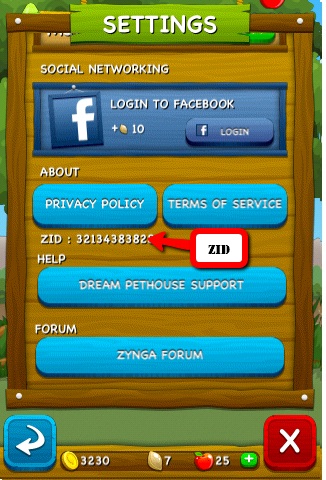
Step 3. Scroll down on setting screen where you will find the ZID in the middle
Dream Pethouse
Step 1. Tap the "Menu" located on the bottom left of your Pethouse.
Step 2. Locate the "Gear Icon" and tap on "Settings"
Step 3. Scroll down on setting screen where you will find the ZID in the middle
No comments:
Post a Comment