Showing posts with label Zynga Customer Support. Show all posts

Wednesday, February 20, 2013

Is there Zynga somewhere around?


ZYNGA ARE YOU HERE?
How to contact Player Support via e-mail?
NO way, no chance!
This was option for contacting them some days ago


but not anymore!
Is Zynga hiding from their players?
If I am Zynga, today or better to say lately I would hide.

How to find help on Players Support?
1. ask question - you maybe get answer from another player. That is helpful, maybe. 

2. you can put it on forum - and lot of other players do the same, so forum is full of questions or problems, maybe you will get answer.


IS THERE ZYNGA SOMEWHERE AROUND?

Wednesday, February 6, 2013

Experiencing technical difficulties while submitting tickets from your mobile device?Zynga Customer Support

Hello Players!

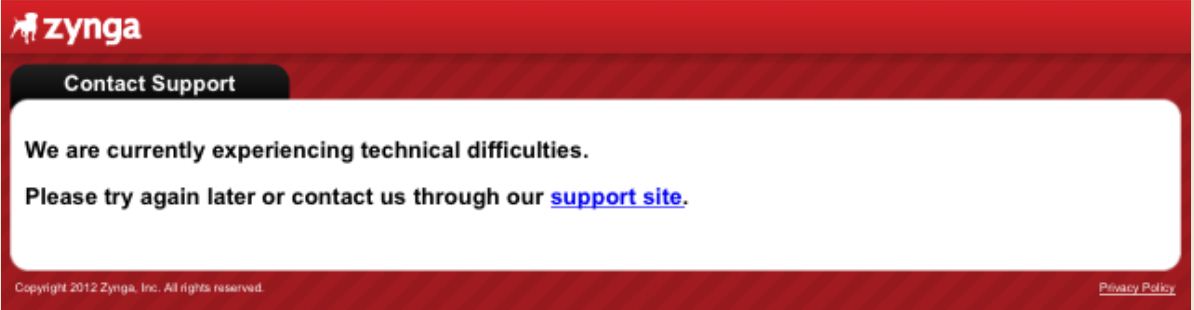
We have received reports of issues while attempting to contact Zynga Customer Support through the in-game customer support option on your mobile device. If you have received an error message similar to the screenshot below, please click "Vote to Fix" at the bottom of this article so we know!


If you did encounter this error message, please know that we are actively working to resolve this issue. In the meantime, please feel free to utilize this support site to help get any issues resolved.

Thanks,
Zynga Customer Support

Sunday, January 6, 2013

Player Support announcing


PLAYER SUPPORT ANNOUNCING

Player Support Maintenance On January 24th

The Support Site will be undergoing maintenance on 1/24/13 for 7 hours
starting at 1:00 PST and ending at 8:00am. Player to Player help will still
be available.


Thursday, December 6, 2012

How to contact Customer Support via e-mail


How to contact Customer Support via e-mail

Link for contacting Customer Support: support.zynga.com

1. press Facebook Connect, you will need to register


2. when you register yourself, pick Current Game - Please Select option in the upper right corner
or
simply in Search option write name of the game you need to contact support team for
3. option Contact Us - Email Us is on the right side of that page. Click on that option


4. Simply Fill what is required, make screen shot if you need and can, and send it.


Friday, July 20, 2012

Zynga Support site will be down for maintenance from 7:00 PM PDT on 7/24/2012 to 5:00 AM PDT on 7/25/2012


Starting at 7:00 PM PDT on 07/24/2012, we'll be performing some routine maintenance on our support site (support.zynga.com). We expect to complete maintenance by 5:00 AM PDT on 07/25/2012. During the maintenance window, the support site and contact options will be unavailable.

Thanks for your patience!

- Zynga Customer Support

Sunday, July 1, 2012

Does Zynga store my payment information?

Purchases made within Zynga games are primarily made through Facebook Credits. Zynga Inc. does not process transactions for Facebook Credits. Facebook Inc. may choose to store your credit card information when making in-game purchases. You may remove or add payment methods by visiting your Facebook account settings.

For further questions please click on this link to contact a Facebook representative who will be glad to assist you in resolving this matter:

http://www.facebook.com/help/search/?q=credits

To learn more about Zynga’s Privacy Practices please visit our Privacy Center.

CastleVille - Game not loading


We are sorry to hear that you cannot play CastleVille because the Loading Bar gets stuck when you try to enter the game. 
User-added image
 
Please find detailed troubleshooting structions HERE.

If the issue still persists you can help us by filling out this form HERE

Our Developers will process the information and investigate the issue to find a solution.

When filling out the form you will be asked for a UID number. We need this number to find your account. If you don't know how to find your UID number please check this article: CLICK

If you filled out the form above it won´t be necessary to submit a ticket for this issue, your details will be escalated directly to our Developers.

We would also like to ask you to click on the "Please Fix" button below so we can track how many players are affected by this issue.

How does vote to click work? By clicking on "Vote to Fix", this tracks the number of customers that have been affected by the particular issue. Daily and weekly reports are sent to the Game studio with the number of the players that clicked on the button, specific to the issue listed above.

We appreciate your patience as we work to resolve this issue.

Thank you,

The CastleVille Team

Zynga Customer Support - Connecting the World through Games!

Thursday, June 28, 2012

Unable to plant Coin Crops in some Greenhouses


Our dev's are aware of this and actively working on the problem and should have the issue resolved soon.
 
If you do not require a response from Customer Support, we recommend you click on ""Vote to Fix"" as an alternative to contacting us. 
 
How does vote to click work? By clicking on ""Vote to Fix"", this tracks the number of customers that have been affected by the particular issue. 
 
Daily and weekly reports are sent to the Game studio with the number of the players that clicked on the button, specific to the issue listed above. 
 
Thank you, 
 
Zynga Customer Support - Connecting the World through Games!

Tuesday, March 6, 2012

iOS Troubleshooting FAQ

Many issues (i.e. Loading, Sync-ing of Game, Missing Features) can be resolved by the following ways:

1. Restart your App. 

iOS Device:

  1. Restart and Force-close your app by double tapping the "Home" button on your iOS device 
  2. The Multi-tasking bar should appear on the bottom of the screen
  3. Hold down the game app in the multi-tasking bar until the app starts to shake
  4. When the game app starts to shake, tap the "-" in the top left hand corner to force close the app
  5. Go back to your iOS Springboard and reload your app

2. Update Game. Make sure you have the latest version of your app.  Go to iTunes Store to update your app.

3. Uninstall/Reinstall the App.  Please know that re-installation of the game will not lose any of your account/progress.

iOS Device:
  1. Hold any icon on your device until all of them start to shake; you will see an "x" next to each app that you can delete.
  2. Touch the "x" of the app you want to delete. You may have to confirm the deletion and/or rate the app.
  3. Re-download the app from your iTunes
  4. Open the App

I hope you find this information helpful and are able to get back to playing Zynga Mobile games!

Sunday, March 4, 2012

Report & Troubleshooting - Posting News Feeds, Posting Quest Bugs & Publish Errors

We apologize for any inconvenience you may be experiencing when it comes to posting your news feeds, posting for your quest, or receiving publish errors when attempting to post to your friends feeds. We understand this is a core part of your game play and are actively working towards a resolution for the players effected.

In the mean time, we would like to inform you that most (but not all) posting issues are related to Facebook's updated News Feed interface, which recently changed how players find their game requests & feeds.

Please make sure Facebook settings are correct. 


Reporting Posting Issues to Engineer via "Vote to Click". 

How does vote to click work? By clicking on "Vote to Fix", this tracks the number of customers that have been affected by the particular issue. Daily and weekly reports are sent to the Game studio with the number of the players that clicked on the button, specific to the issue. If you do not need an answer from Customer Support, we recommend you click on "Vote to Fix" as an alternative to contacting us. 


Game Studio Product Feedback. 

Additionally, did you know that you could provide feedback directly to the Zynga game studios about these features? 
Please click here to visit our game product suggestions and feedback page.

Again, we apologize for any inconvenience and your patience is appreciated as we work to resolve these issues.

Thank you, 


Zynga Customer Support - Connecting the World through Games!

Monday, December 12, 2011

New Zynga Custumer Support Link

Related Posts Plugin for WordPress, Blogger...