Showing posts with label Bubble Safari Mobile. Show all posts

Tuesday, March 31, 2015

Zynga Games Update

To our players:
We want to share some news regarding a few of our longest standing games.
Based on the natural evolution of our game storylines and changing consumer preferences, we have made the tough but important decision to close 11 of our older Web and mobile games, some of which have been in market for more than 4 years. The games impacted are Ayakashi: Ghost Guild, Bubble Safari Mobile, Bubble Safari Ocean, CastleVille, ChefVille, Duck Dynasty Slots, Pioneer Trail, Puzzle Charms, Skateboard Slam, Riches of Olympus Slots and Zynga Slots.  All games will be ending by April 30th. Games have begun rolling out closure information via in-game messages and include a thank you to players.
As a team we do not take the decision to close our games lightly but we have made this decision in order to pave the way for our game teams to put their passion, energy and creativity into developing new, world-class games for you. We greatly appreciate your support of these games over the years.
We are proud of the connections and relationships these games have fostered for our players and we are looking forward to sharing the new experiences our teams are creating. With mobile games like FarmVille: Harvest Swap, Empires & Allies and Dawn of Titans all slated to launch later this year, we are excited to usher in a new era of Zynga and NaturalMotion games that we hope you will enjoy.
Thank you again for playing and sharing some of your time with us. We look forward to seeing you in our new Zynga and NaturalMotion games soon.
Best,
Zynga Teams

Friday, September 19, 2014

CSR Racing New Zynga Mobile Game


Race against millions of other players and compete to win the biggest prizes.

With over 70 licensed cars including Ferrari, Pagani and McLaren.

Take the #1 mobile racing game out for a test drive now --->http://zynga.tm/cv9M

Wednesday, April 24, 2013

Bubble Safari Mobile: How to submit a Support ticket from your iOS Device.

Players who are having any issues with the Bubble Safari Mobile application can submit a Support ticket via a button in the application itself. Follow the below steps below to submit a ticket to our support team.
We are aware that some players of the Bubble Safari mobile app are not able to successfully connect to Facebook, as described in Method 1 below. You also might not have a Facebook account.  If either is true for you, skip to Method 2 to submit a ticket to our support team.

Method 1: Connect to Facebook and submit a ticket
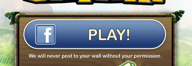
1. Launch the Bubble Safari app and if you aren’t connected to Facebook, click on the ‘Play!’ Button.

2. You will see the Facebook login screen, where you can put in your Facebook email address and password.
3. After the Bubble Safari connection is made, you should see your Facebook name and profile picture shown.
4. Click on the ‘About’ button, which is to the left of ‘Skip and Play’.

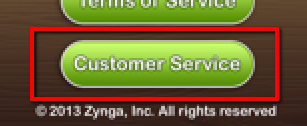
5. Click on the ‘Customer Service’ link. 

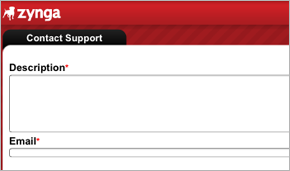
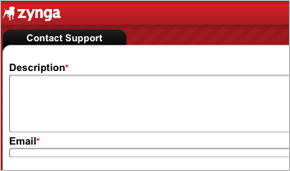
6. The ticket submission page will come up, and let you type in a summary of your issue and your email address. Use the email address that is associated with your Facebook account.

7. When you are done, click on the ‘submit’ button.  You will receive a confirmation email message from Zynga Customer Support with a copy of your reference number.

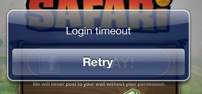
Note: Unsuccessful connections to Facebook will require you to force-quit the app.  If the Login times out, there no ‘cancel’ option, there is only ‘Retry’.

Method 2: Send in a ticket without Connecting to Facebook
1. Launch the Bubble Safari app and touch the ‘Skip and Play’ button.

2. Touch the arrow to go back to the main interface. 

3. Touch the ‘About’ button, which is just to the left of ‘Skip and Play’.

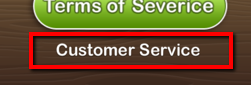
4. Touch the ‘Customer Service’ link. It’s just below the ‘Terms of Service’ button. (Again, we are aware of the Text error here.)

5. The ticket submission page will come up, and let you type in a summary of your issue and your email address. Use the email address that is associated with your Facebook account.

6. When you are done, click on the ‘submit’ button.  You will receive a confirmation email message from Zynga Customer Support with a copy of your reference number.


In summary, Facebook timeouts will require you to force-quit the app and use the Skip and Play button, then go back into the About button to send in a ticket.

--The Bubble Safari Mobile Support Team

Monday, February 25, 2013

Bubble Safari Mobile: Workaround to get Facebook Connect to work

If Facebook Connect is not working for you, please read below to see a workaround to getting it to work. Once you get successfully connected, you will see your previous game progress, currency amounts, and the correct amount of Energy.


Many players can get into trouble when they try to connect to Facebook in Bubble Safari Mobile. Hitting the blue "PLAY!" button to connect to Facebook can make the app say, "Log in to Facebook to get free bubbles from friends."  The login attempt can also timeout, leaving you no choice but to force-quit the app.

We've found a workaround for this issue that has been successful.

Go to the Settings app (has some gears on it) >  Facebook  >  at the bottom of the page, there is a ‘delete account’ button.  This won’t delete your actual facebook account, but it will clear the account login settings. 


Next, try the Bubble Safari app connection again, and see if it works.

Later, you can re-enter the login information settings to connect your device to Facebook.

We hope this has been helpful!


--The Bubble Safari Support Team
Related Posts Plugin for WordPress, Blogger...