Showing posts with label Princess Bride Slots. Show all posts

Thursday, November 19, 2015

Princess Bride Slots - How to: Settings

Hi Spinners!

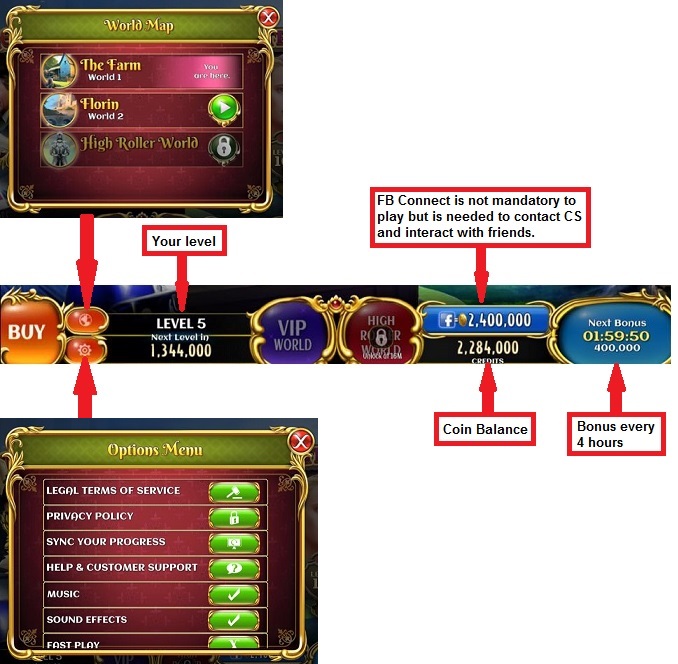
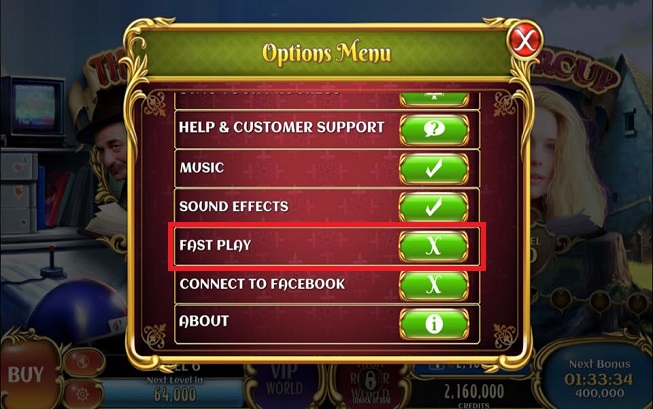
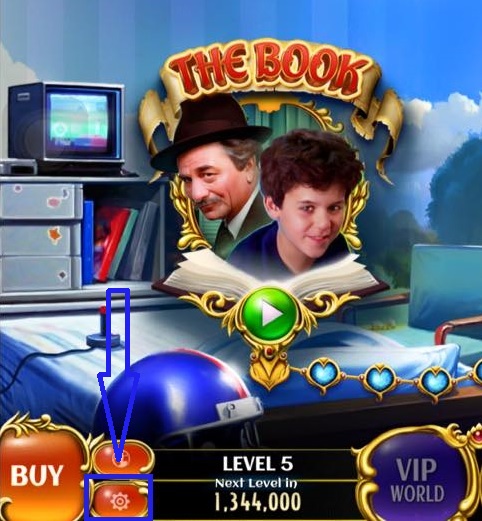
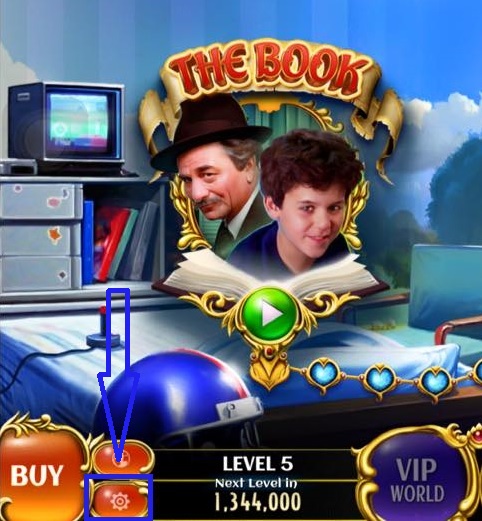
The Settings option will allow you to do several actions. To access the Settings Menu, tap the Settings button or the gear icon located in the lower left corner of the screen.

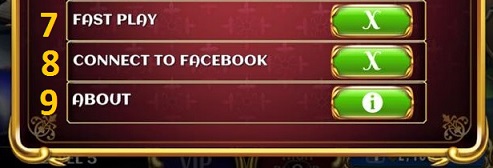
The Settings Options allows you to do the following actions: 


1. Access and read the Zynga's Terms of Service.
2. Access and read the Privacy Policy.
3. Sync your progress.
4. Get help from the Princess Bride Slot Help Center.
5. Turn the Music On/Off.
6. Turn the Sound Effect On/Off.
7. Make your game fast.
8. Connect your game to your Facebook account.
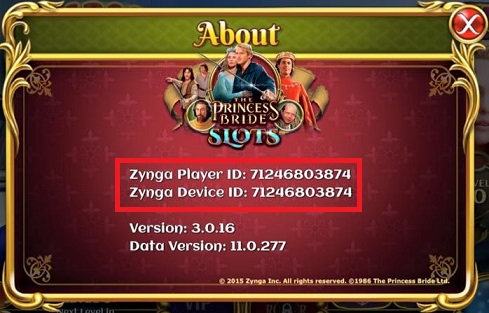
9. View your ZID, Device ID, and game version.

Thanks,

Princess Bride Player Support

Princess Bride Slots - How To: Beginner’s Guide and FAQ

Hi Spinners!

Here's another game that takes you to the wonderful world of Spinning!


From the Bottom Lobby, what can I do?


Where are my friends?


How do I play?
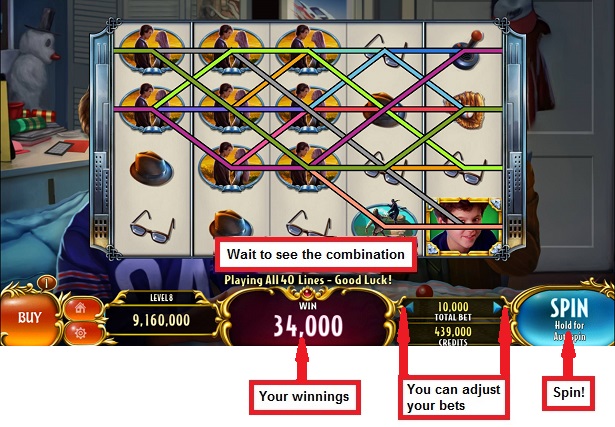
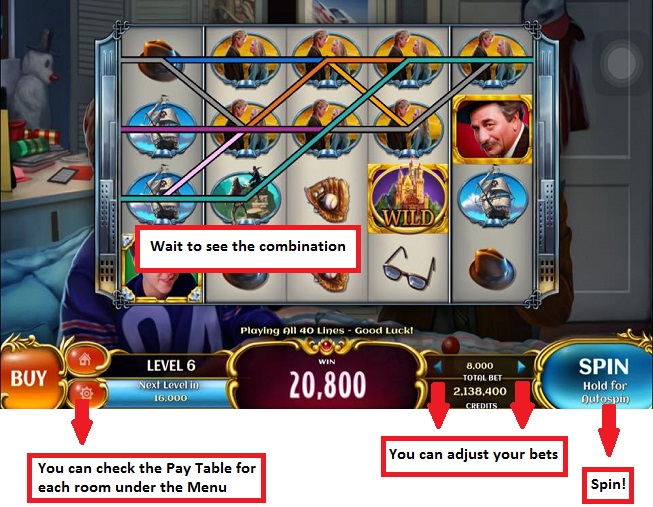
It's simple, choose a Room, place your Bet and Spin!


How much can I win?
You can check the Pay Table to see how much you can win.

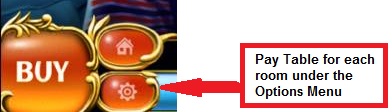
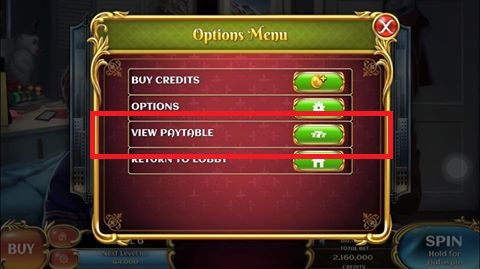
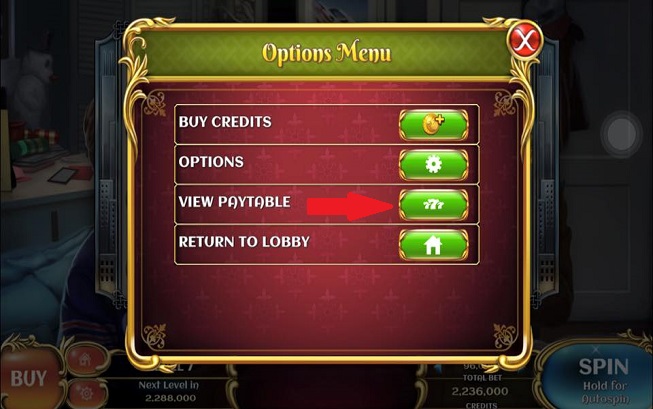
Go to the Pay Table:


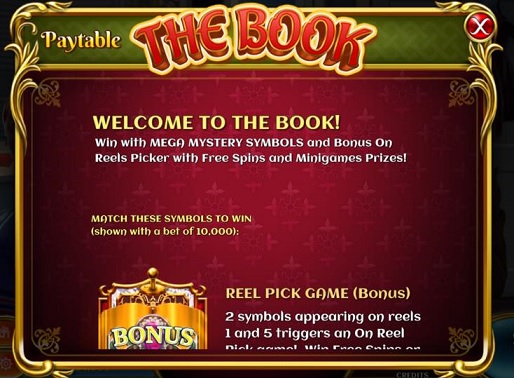
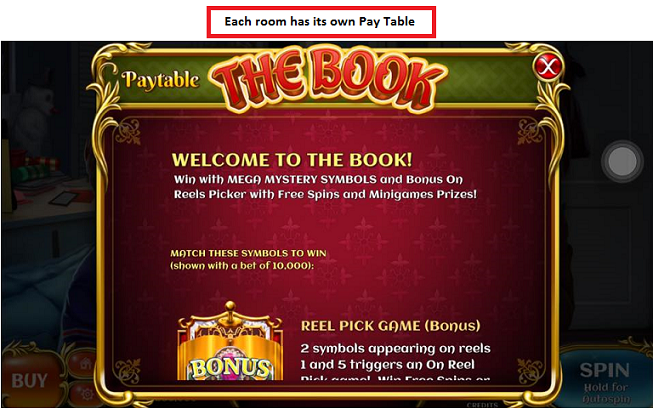
Example of Pay Table:


Can I win Free Spins?
Players can win Free Spins. Free Spins behave differently in each room. You can find more information about them in the Pay Table of each room.

I have run out of Coins. Do I get more free ones? 
Yes, you do! We'll offer you more free Coins every 4 hours! You will start with 500,000 coins which will increase as you level up.

How can I get more coins?
At the bottom left of your screen, tap "buy" button to reveal the purchase tab. You will find diverse packages that you can purchase via your Apple Store account and/or Google Play. 
Our offers can change at any time and may vary depending on the platform (Web/Mobile) you are playing. 

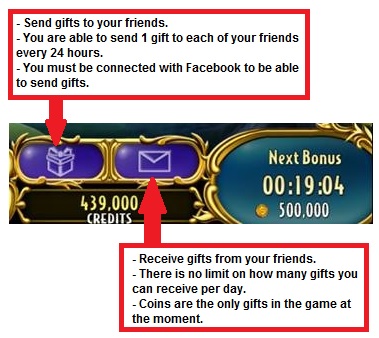
You friends can send you coins once per day. Though receiving gifts has no limit, you can accept/collect depending on your VIP level.

Have fun spinning!

Princess Bride Slots Player Support

Princess Bride Player - How To: Gameplay

Hi Spinners!

Just getting started? Have a look at our guide to help you out!

Lobby

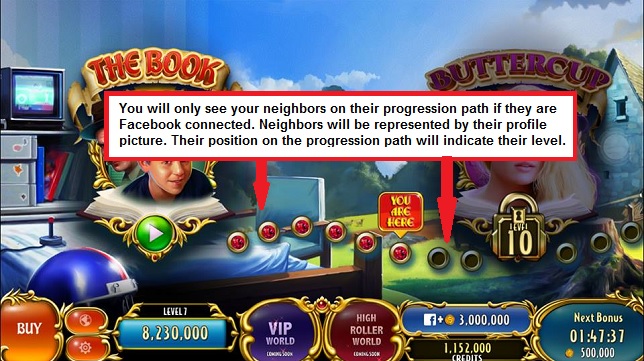
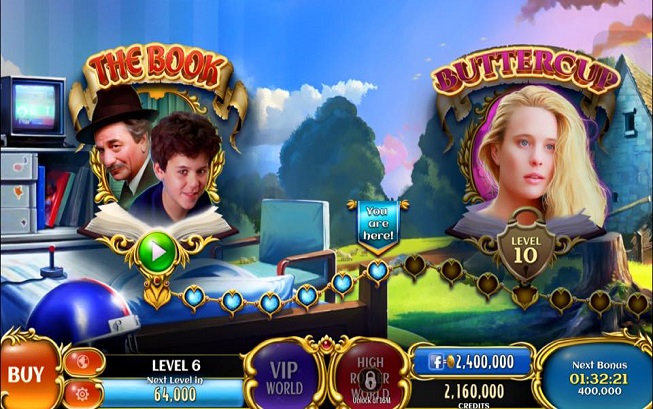
Typical slot games have a fixed Lobby background however Princess Bride Slots doesn't have a lobby in just one screen. You will have to walk along the Woodlands area.

Starting area:


Now, what is new in the Princess Bride? You can actually select a different world where you can choose to be in either the VIP World or the High Rollers World!


Rooms

We get to play The Book Room from the start but we're not limited to that room alone! There are several rooms that we can play in which can be unlocked as you level.

• Machine 1: The Book - Level 1
 Machine 2: Buttercup - Level 10
• Machine 3: Westley - Level 20
• Machine 4: As You Wish - Level 30
• Machine 5: Seeking Fortune - Level 1
• Machine 6: Off to the Castle - Coming Soon

Here's a bit of a sample on how the game is played!


Note: You can also spin by swiping down the reels

Auto-Spin

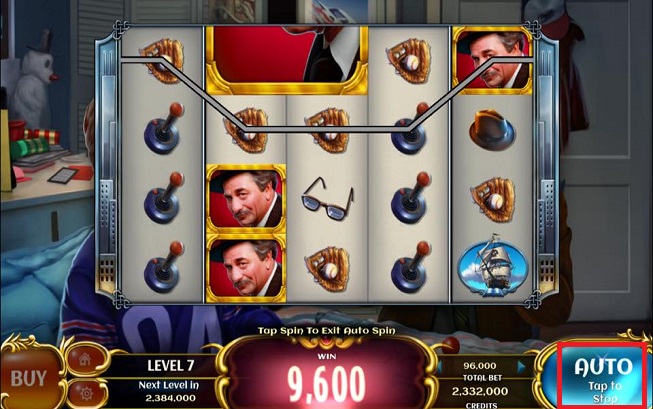
To make our Spinner's life easier, we also added the Auto-Spin feature. The Auto Spin works as follows:

• To enable Auto-Spin, press and hold the "Spin" button for 2 seconds.
• To disable Auto-Spin, tap the "Spin" button. You can also play faster during Auto-Spin if you go to "Options" and enable "Fast Play"


In order to earn coins, you need to line up certain icons to produce a combination. To know the different combinations for each Slot Machine, please refer to the Pay Table. 


This is an example of a Pay Table:


Let's spin those reels to earn some coins!


Thanks,

Princess Bride Player Support
How to find your ZID and Device ID in Princess Bride Slots

Hi Spinners!

Your mobile device generates a unique ID called a ZID and Device ID within each Zynga mobile game. To find your ZID or your Device ID in Princess Bride Slots, please follow these steps:

1. Tap the Settings button or the gear icon located in the lower left corner of the screen.


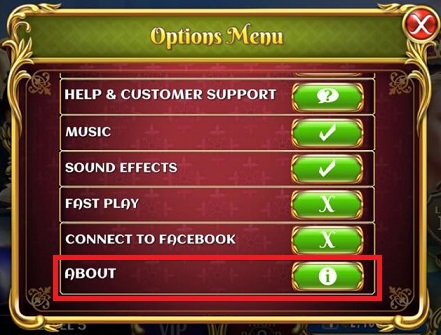
2. Tap the About button.

It will show you your ZID and Device ID.


Thanks!

Princess Bride Slots Player Support
Related Posts Plugin for WordPress, Blogger...