Fellow YoVillians,
Check out the BLOG for more details about this feature and visit the FORUMS to discuss more!
-YoVille Support Team.
==========================================================================================================================
Whereas, if you use YoCash as the mode of payment/selling, the seller will be charged a commission of 20% on a successful item sale.
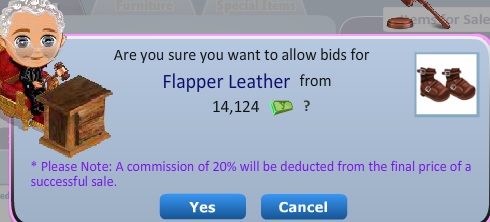
What is ‘Starting Price’?
Can I remove an item after putting it up on the Auction House?
Unfortunately you cannot. It will be returned to you only if it doesn't receive any bids or isn't bought outright until the set auction duration expires.
How do I check the item that I have currently put up on Auction?
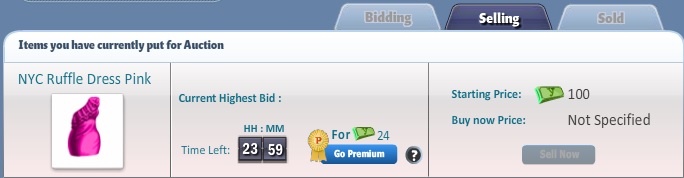
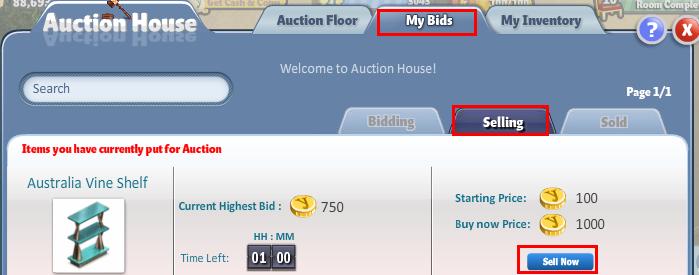
In order to check that, go to the “Selling” tab. This is a sub tab of “My Bids”
How do I check the items that I have sold?
You can see the list of items that you have sold under the “Sold” tab. This is a sub tab of “My Bids”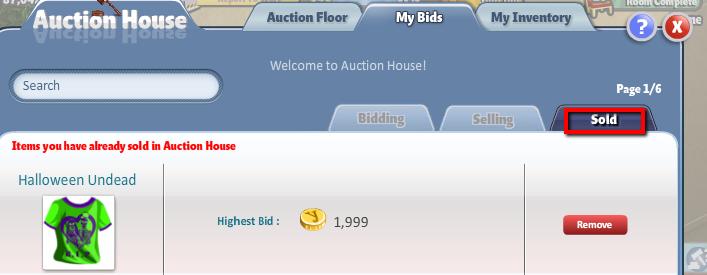
Who gets the items after the bid time expires?
In order to check that, go to the “Bidding” tab. This is a sub tab of “My Bids”.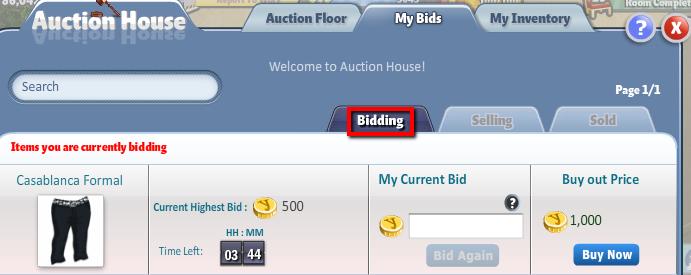
How many items can I place a bid on?
There is *NO* limit on the number of items you can place a bid on. The only limit you will have is the amount of coins in your account.
Can I sort the list of items in the auction house for better visibility?
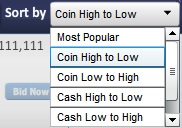
Yes, you can sort items to your preference by selecting an option in the drop down next to “Sort By”.
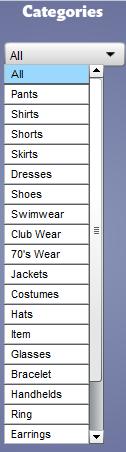
Also, you can filter between the list of items under the “Auction Floor” tab, by click on the drop down below “Categories”
This sorting option will list all the items chronologically, starting with the auctions that are ending the soonest.
--xx--
We’ve got great news for all of you! We are happy to bring you Premium Auctions and Cash Auction House! Many of you have asked for this, and we are nothing but delighted to finally bring this to Yoville!
New Add-on Features:
1) Premium Auctions – CLICK HERE!
2) YoCash as a payment/selling option. – CLICK HERE!
Along with reading about the Add-on features we suggest you to read the below article as well as we have changed a few things with the Auction House (and one of which being revised Commission Rates). Hence, we request you to read the entire FAQ to re-educate yourself on the Auction House.1) Premium Auctions – CLICK HERE!
2) YoCash as a payment/selling option. – CLICK HERE!
Check out the BLOG for more details about this feature and visit the FORUMS to discuss more!
-YoVille Support Team.
==========================================================================================================================
IMPORTANT NOTE: It will take a maximum of 2minutes to reflect any changes made in the Auction House (Bidding/Removal/Addition of items). Also, it will take up to 30 minutes for you to receive the item/coins that you are entitled to for purchasing/selling an item upon expiry of the bid duration.
Basic Troubleshooting: Refreshing your game will mostly likely will have most of your Auction House issues resolved.
How do I access the Auction House?
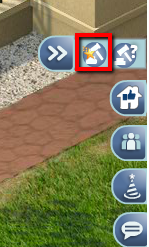
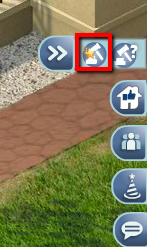
In order to access the Auction House, click on the HUD icon on the right side of your screen.
In order to access the Auction House, click on the HUD icon on the right side of your screen.
How to add items to the Auction house?In order to add an item to the Auction House, please follow these steps.
Open Auction House:
Open Auction House:
Go to “My Inventory”
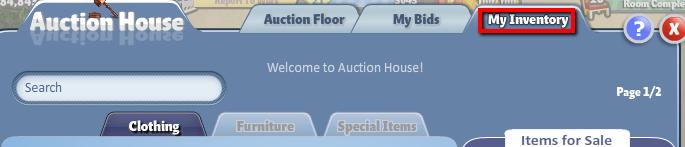
Select a sub tab (Clothing, Furniture or Special Items”

In the list of items shown, click “Select” on the item that you would like to place in the Auction House.
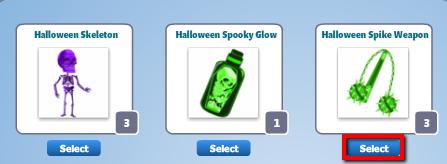
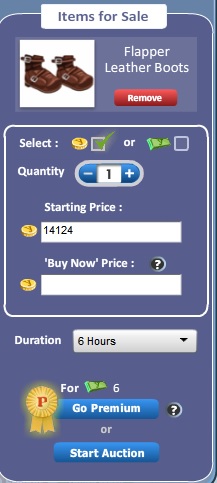
After clicking “Select”, you will notice that the item shows up on the right side under “Items for Sale”. You can select either YoCash or YoCash for players to bid.Select a sub tab (Clothing, Furniture or Special Items”
In the list of items shown, click “Select” on the item that you would like to place in the Auction House.
You can add multiple of the same items to be sold on the Auction House by increasing the number in the Quantity Field. These items will be listed separately on the Auction House at the price set in the “Starting Price and “Buy Now Price” field.

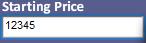
Enter the “Starting Price” (Starting Price for YoCash is a minimum of 5 YoCash)
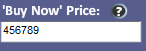
Enter the “Buy Now Price” (Optional) – Should be higher than the “Starting Price, else it can be zero.
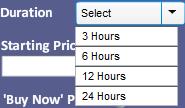
Select a suitable duration from the drop-down list
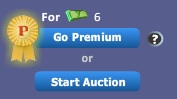
After you have filled in all the fields, click on “Allow Bidding” or "Go Premium" to list the item in the Auction House.
Enter the “Starting Price” (Starting Price for YoCash is a minimum of 5 YoCash)
Enter the “Buy Now Price” (Optional) – Should be higher than the “Starting Price, else it can be zero.
Select a suitable duration from the drop-down list
After you have filled in all the fields, click on “Allow Bidding” or "Go Premium" to list the item in the Auction House.
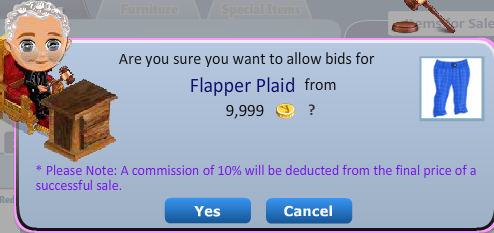
NOTE: The seller is automatically charged 10% commission on a successful item sale.
What is ‘Commission’?
A fee the game charges for the use of this feature. The game charges the Seller a 10% commission on the completion of a successful sale of an item while using YoCoins as the mode of payment/selling.Whereas, if you use YoCash as the mode of payment/selling, the seller will be charged a commission of 20% on a successful item sale.
What is ‘Starting Price’?
Starting price is the minimum price from which bidding can begin. For example, if the starting price is set at 1,000 Coins, the first bidder has to bid a minimum of 1,100 coins to successfully place a bid.
The Starting Price is set by the seller of the item before putting up on the Auction House.
The Starting Price is set by the seller of the item before putting up on the Auction House.
What is ‘Buy Now’ price?
The ‘Buy Now’ price is set by the item seller and it is used to purchase the item at the set amount directly without participating in the Auction and without having to wait the Auction duration.
The ‘Buy Now’ price is set by the item seller and it is used to purchase the item at the set amount directly without participating in the Auction and without having to wait the Auction duration.
What is “My Inventory” in the Auction house window?
The “My Inventory” tab shows the list of items/costumes that can be sold in the Auction House. NOTE: Items that are currently ‘in use’ and non-tradable items will not be listed.
The “My Inventory” tab shows the list of items/costumes that can be sold in the Auction House. NOTE: Items that are currently ‘in use’ and non-tradable items will not be listed.
What is the maximum limit of items that I can sell?
At any given time, you can list a maximum of 5 items YoCoins Auctions and 5 YoCash Auctions.
NOTE - There is no limit for Premium Auctions. You can set up unlimited premium auctions at any given point of time.At any given time, you can list a maximum of 5 items YoCoins Auctions and 5 YoCash Auctions.
Can I remove an item after putting it up on the Auction House?
Unfortunately you cannot. It will be returned to you only if it doesn't receive any bids or isn't bought outright until the set auction duration expires.
How do I check the item that I have currently put up on Auction?
In order to check that, go to the “Selling” tab. This is a sub tab of “My Bids”
Can I sell my items before the duration expires?
Yes, you can sell your items before the set duration expires. In order to do so, click on the “Sell now” which can be found under “Selling” the sub tab of “My Bids”.
Yes, you can sell your items before the set duration expires. In order to do so, click on the “Sell now” which can be found under “Selling” the sub tab of “My Bids”.
How do I check the items that I have sold?
You can see the list of items that you have sold under the “Sold” tab. This is a sub tab of “My Bids”
How do I place a bid?
In order to place a bid, please follow the following steps:
Go to the “Auction floor” tab.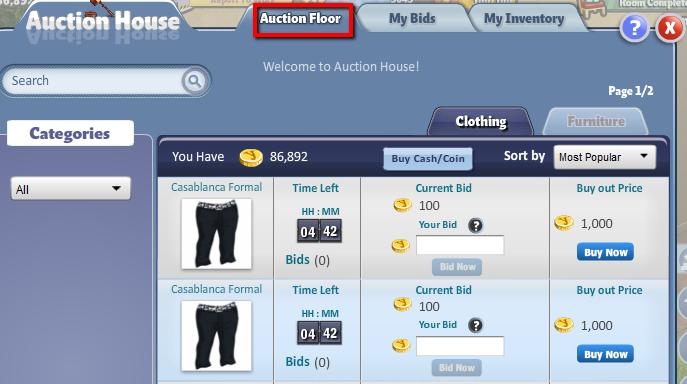
In order to place a bid, please follow the following steps:
Go to the “Auction floor” tab.
After finding that item that you would like to bid on, enter your bid amount in the field provided. Note that your bid should be higher than the current bid.
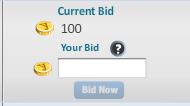
After entering a higher big in the field, you will be able to click on the button “Bid Now"
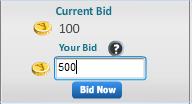
NOTE: The amount of YoCoins/YoCash used to place a bid will be removed from your account. This amount will be restored if someone else outbids you.
After entering a higher big in the field, you will be able to click on the button “Bid Now"
NOTE: The amount of YoCoins/YoCash used to place a bid will be removed from your account. This amount will be restored if someone else outbids you.
What happens when someone else bids higher than me?
In case another player place a higher bid than your, you will be sent a notification and the amount of coins that were removed from your account for the bid will be restored. After your coins/cash are returned, you can place a higher bid on the item.
How will I receive the coins for the items I placed in the Auction House?The amount of coins/cash for the sold item is directly credited to your account in both cases; a direct “Buy Out” or when the bid time expires (item is sent to the highest bidder). In case there are no bids on your item, the item will be added to your account after the duration expires.
Can I directly purchase an item without having to bid or wait for the duration to expire?
Yes, you can directly purchase an item buy paying the listed “Buy Out” price. Do note that, it is an option for the seller to put up a “Buy Out” price. If the seller hasn't listed any Buy Out price, you will have to be the highest bidder and wait until the bid duration expires to get the item.
Please follow the following steps to “Buy Out” an item.
Go to the “Auction Floor” Tab.
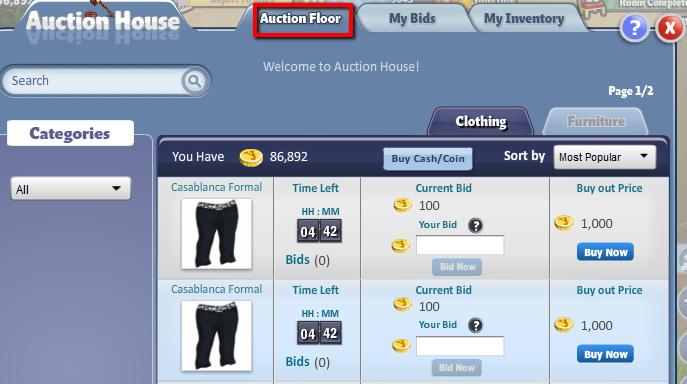
Click on the “Buy Now” button.
Yes, you can directly purchase an item buy paying the listed “Buy Out” price. Do note that, it is an option for the seller to put up a “Buy Out” price. If the seller hasn't listed any Buy Out price, you will have to be the highest bidder and wait until the bid duration expires to get the item.
Please follow the following steps to “Buy Out” an item.
Go to the “Auction Floor” Tab.
Click on the “Buy Now” button.
Who gets the items after the bid time expires?
The item is credited to the highest bidder. Incase there are no bidders on that particular item, it will be sent back to the seller after the time expires.
How do I check the items on which I have placed a bid?In order to check that, go to the “Bidding” tab. This is a sub tab of “My Bids”.
How many items can I place a bid on?
There is *NO* limit on the number of items you can place a bid on. The only limit you will have is the amount of coins in your account.
Can I search for items using keywords?
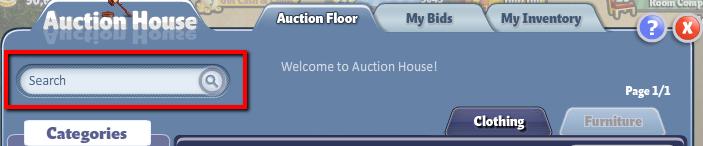
Yes, you can search for items in all 3 tabs using the search field.
Yes, you can search for items in all 3 tabs using the search field.
Can I sort the list of items in the auction house for better visibility?
Yes, you can sort items to your preference by selecting an option in the drop down next to “Sort By”.
Also, you can filter between the list of items under the “Auction Floor” tab, by click on the drop down below “Categories”
How does sorting by “Most Popular” work?
This sorting option will list the items by highest to lowest popularity. Popularity is determined by the number of bids on the item.
This sorting option will list the items by highest to lowest popularity. Popularity is determined by the number of bids on the item.
How does sorting by “Cash High to Low” work?
This sorting option will list the items that are sold by YoCash by highest to lowest in terms of the current bid price.
This sorting option will list the items that are sold by YoCash by highest to lowest in terms of the current bid price.
How does sorting by “Cash low to high” work?
This sorting option will list the items that are sold for YoCash by lowest to highest in terms of current bid price.
This sorting option will list the items that are sold for YoCash by lowest to highest in terms of current bid price.
How does sorting by “Coins High to Low” work?
This sorting option will list the items that are sold for YoCoins by highest to lowest in terms of the current bid price.
This sorting option will list the items that are sold for YoCoins by highest to lowest in terms of the current bid price.
How does sorting by “Coins low to high” work?
This sorting option will list the items that are sold for YoCoins by lowest to highest in terms of current bid price.
How does sorting by “Ending Soon” work?This sorting option will list the items that are sold for YoCoins by lowest to highest in terms of current bid price.
This sorting option will list all the items chronologically, starting with the auctions that are ending the soonest.
--xx--


No comments:
Post a Comment