Typically, your Facebook email is the email address that the
Zynga Support team uses to contact you regarding issues on your submitted
tickets. If you would like the Zynga Support team to contact you via a different
email than the Facebook one, then please follow the steps below to update your contact
email.
Step 1: Go to our Zynga Support website: support.zynga.comStep 2: At the top of the Player Support page, click the “Account” option next to your nickname.
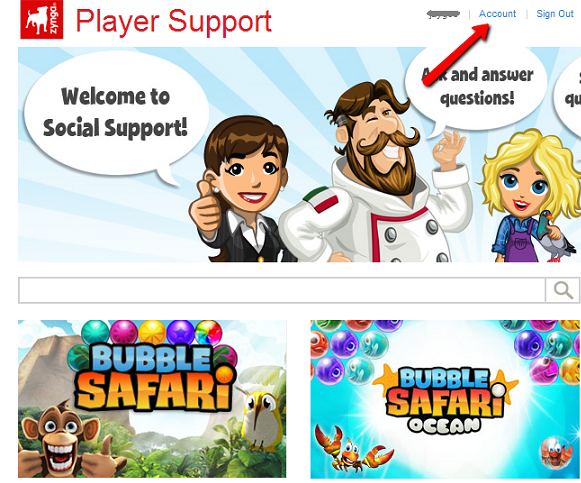
Step 3: You will be taken to a screen with “Your Account” information. To change your contact email, click the “edit” option next to the “Your Email” field.
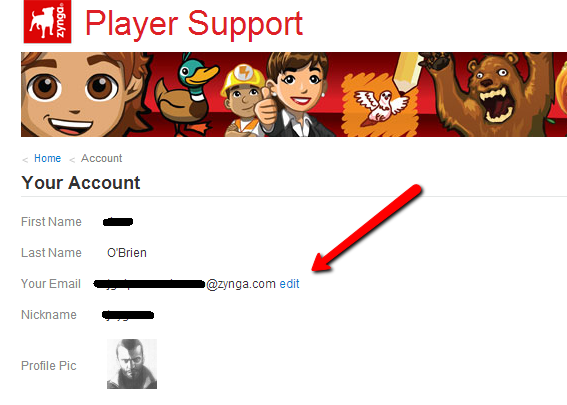
Step 4: In the pop-up window, enter and confirm your new contact email address. Then click the “Update” button.
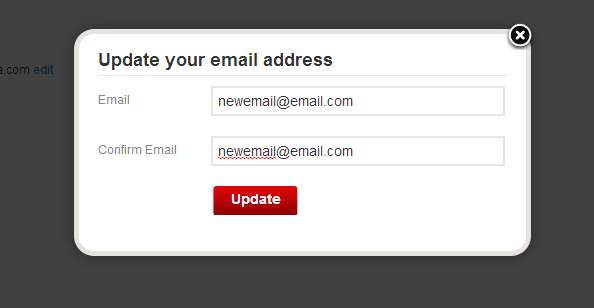
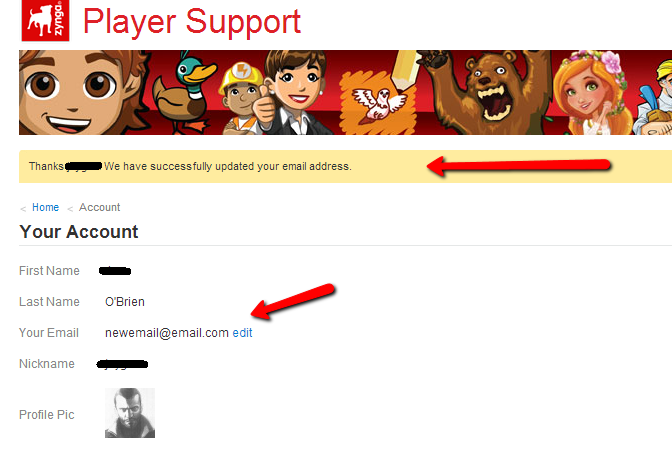
Your contact email address will be
updated, and you will be taken back to the ‘Your account’ screen. The following
confirmation message will appear in the yellow bar to confirm that your email
was changed successfully: “Thanks, [Your
name}. We have successfully updated your email address”.


No comments:
Post a Comment